
Author: Kedron Rhodes

  • How to Make Sure Your Project Retrospectives Aren’t a Waste of Time

    You’ve been conducting project retrospectives. Your team knows how they work. You’ve read our earlier blog post about how to lead an effective retrospective. But you’re still not getting the value you expect.

    Does this sound familiar? Well, you’re not alone.

    Effective retrospectives take time and practice. We’ve detailed the five most common pitfalls that undermine the retrospective process, with clear examples of how you can make the process actually work for you:

    Beach sign showing "future" pointing in one direction and "past" pointing in the other

    1. You’re Not Creating Action Items

    At the end of every retrospective, you should be creating concrete action items. These can be things your team needs to start or stop doing. If you aren’t creating those or aren’t assigning them to an individual with a specific timeline, you’re likely not seeing measurable improvement as a result of your retrospectives. Let’s take a look at an example of a good action item:

    During this next sprint, Kedron should work to hone his story writing skills to write better success outcomes.

    Action items should have a date or timeline

    Ex: During this next sprint

    Every action item should have a date or timeline associated with it. Of course, you can’t execute all action items before the next retrospective. The task or goal might take longer to complete, or it might not be relevant at the current stage of the project. But even if you need to schedule it for a later date, it should have a due date or timeline. This gives everyone on the team an idea of when they should complete their action items.

    Action items should be assigned to an individual

    Ex: Kedron

    When you assign an action item to a specific team member during the retrospective, it allows that person to own the action item. It creates social accountability and a sense of responsibility for getting it done. Of course, there may be action items that need multiple people. You should still assign those to each individual rather than speak them into the ether for “everyone” to work on.

    Action items need to be specific

    Ex: Write better success outcomes

    As with goals, action items should be very specific so they have criteria for completion. Using our example from above, if the team asks me to focus on writing better stories for the backlog or story map, I don’t have a clear idea on what makes stories better.

    By focusing on a specific part of the story—”success outcomes”—I can set smaller action items for myself to work toward that goal. Those might include reading some of Jeff Patton’s work on story mapping or collaborating with another team member for feedback on specific success outcomes. It’s harder to create those tangible milestones or processes with a broader, less defined action item.

    Several people sitting around a table with graphs and charts in front of them

    2. Team Members Are Withholding Feedback

    If team members are not forthcoming with their feedback, it could be hampering the effectiveness of your retrospectives. There is no value in meeting together to pat each other on the back if individuals aren’t willing to be honest and candid with their observations about the previous body of work.

    To encourage everyone to share action items, you have to ensure the team feels safe enough with one another to speak candidly. It’s only through these conversations that you can identify valuable action items.

    Of course, this requires an extraordinary amount of emotional safety and connection. The team has to be able to focus on the problem and not the person, while acknowledging that there may be a person contributing to that problem. Those giving feedback have to be able to do so without criticism or emotion. The facilitator has to listen and not judge. And each person has to be willing to hear uncomfortable observations about their own work.

    Not everyone feels comfortable, even in a safe environment, to share criticism or to instruct someone else. As a retrospective facilitator, you have to draw it out of people. You have to ask them to share their insights with the group for the team’s benefit.

    If the way I’m writing stories is hampering the ability of other team members to do their jobs well, they have to be willing to say, “Kedron, it would be great if you sharpened your success criteria so I have a clear idea of what we’re trying to do with each feature.” Beating around the bush or ignoring it altogether will create more frustration for the developers on the team. And it keeps me from growing in my skills, too.

    3. There’s a Lack of Accountability

    It’s one thing to assign an action item following the criteria above, but your team needs to know they’re accountable for completing the item as well. For most people, there’s a social contract when they’re assigned an action item. But some people will ignore the responsibility or, more likely, get too busy or have trouble prioritizing it. Knowing other people will be following up is a great way to create accountability for completing the item.

    Failing to follow up or create accountability can also undermine future retrospectives. If everyone knows the action items are rarely completed and no one will be checking in, there’s little incentive to invest in the retrospective or complete the action item.

    Going back to our example above, I would expect the facilitator of the next retrospective to address that action item the next time we meet: “Kedron, how did you do? Were you able to learn more about and practice writing success outcomes? Team, how do you think Kedron did?”

    An open planner showing a monthly calendar

    4. You’re Not Holding Retrospectives Often Enough

    Maybe you’ve conducted retrospectives in the past and created action items, but it still hasn’t felt like a valuable exercise. It could be you’re not doing them often enough! When there are large gaps between retrospectives, people lose sight of the action items they’re responsible for. They also learn to adjust to the inconveniences that aren’t going to be resolved any time soon.

    This leads to resentment within the team. Team members begin to resent the parts of the process that create more work for them. And they begin to resent their teammates for doing things in a way that makes their own work harder.

    Going back to our example: Suppose my story-writing skills are creating a block for other team members, but we only meet once a year to reflect on our work. It’s possible a) there will be other issues to bring up and it will get missed or b) it will have caused a full year of frustration before it’s even addressed.

    Shortening the gap between retrospectives allows you to discuss real concerns before they get out of hand. You don’t want to get to a retrospective and have to unpack a whole stack of grievances between the team members.

    5. Retrospectives Aren’t Tied to Process

    Finally, retrospectives lose their value if they’re not part of the process. If you conduct a retrospective as a one-off, you’re not likely to loop back to it and measure what you’ve learned from the past. One-off retrospectives rarely include accountability or resolve action items.

    To be effective, a retrospective has to be part of the process. After each segment of work, there should be moments where you gather the team and reflect on what worked and what didn’t. Spacing them out every three to six months or once a year isn’t going to yield the results you’re looking for.

    If retrospectives are not part of the process, individuals aren’t going to be comfortable with the mechanics involved. And they’re not going to be thinking about it as they go about their regular work. So there’s going to be an inherent hesitation for team members to take part, whether it’s because they’re unfamiliar with the process or uncomfortable with the social dynamics of sharing negative feedback.

    If a retrospective is a part of the process, the team becomes comfortable with the mechanics, with sharing candidly, and with being vulnerable. This leads to faster and better results.


    Retrospectives feel like they could be a one-and-done type process, but the real value comes from continuous improvement. For example, after I work on writing clearer success outcomes and achieve that goal, I can then turn my attention to the next item to continue to improve and remove roadblocks for the rest of the team.

    If you’re not getting the most out of your retrospectives, consider refining the process to:

    • Assign action items to team members with specific details and due dates.
    • Ensure people are being forthcoming and candid in their feedback.
    • Hold people accountable for their action items.
    • Conduct retrospectives often enough to address issues and remove roadblocks.
    • Include retrospectives as part of your regular process.

  • Futureproof Your Technology for Growth and Transition

    Futureproof Your Technology for Growth and Transition

    Technology is always changing—both its capabilities and the regulations around it. And just as it’s vital to futureproof your ministry’s digital strategy, it’s also important to futureproof the technology itself.

    Futureproofing determines how well you can pivot in the face of change. This is a key, but often undervalued, part of your role as a steward of your organization’s digital ministry.

    Why futureproofing matters

    Because technology is constantly changing, chances are high you’ll encounter one or both of these two pinch points throughout your career:

    • The need to change from one platform to another to upgrade your technology, integrate with another tool, or meet a new ministry objective.
    • Bringing a new technology on board to augment or expand your existing technology as more tools become available.

    Futureproofing prepares for those inevitable changes so your organization can efficiently transition as needed. Ministries who fail to do this will find themselves wasting time and money as they scramble to keep up.

    Who should be futureproofing?

    Boards and leadership play a vital role in futureproofing a ministry’s strategy. But futureproofing the technology usually depends on those with their boots on the ground: product owners and developers.

    As you’re making decisions about data models, writing tests, and documenting processes, you should always have the future use case in mind as well. How easily can someone step into your role in the future? How easily can you transition to a new program or technology?

    How to futureproof

    Knowing why futureproofing is important and who is responsible for it is a good start, but what does futureproofing look like in the real world? We’ve identified seven areas of focus to help you prepare your digital ministry for the future:

    A diagram of a data model or data structure to help you futureproof your technology

    1. Data structure

    You can lay a strong foundation by structuring your data logically from the very beginning. This means considering the diversity of models represented in your data—both the data coming in (the input) and how it’s used (the output).

    For example, let’s consider a volunteer management system. In this case, the granular data you need to collect might include first name, last name, multiple email addresses, multiple shipping addresses, etc. Building a detailed structure for this data—and then sticking to it—will make future migrations easier. You’ll be able to see where you need to connect the dots, which will increase your confidence in the actual migration.

    It’s important to note that while planning upfront is important, the data model will inevitably change as your organization needs data in a new or different way. The ideas you have about your data today represent a very specific viewpoint. Those ideas will change with your organization, technology, and third-party tools, and your model will need to change as well.

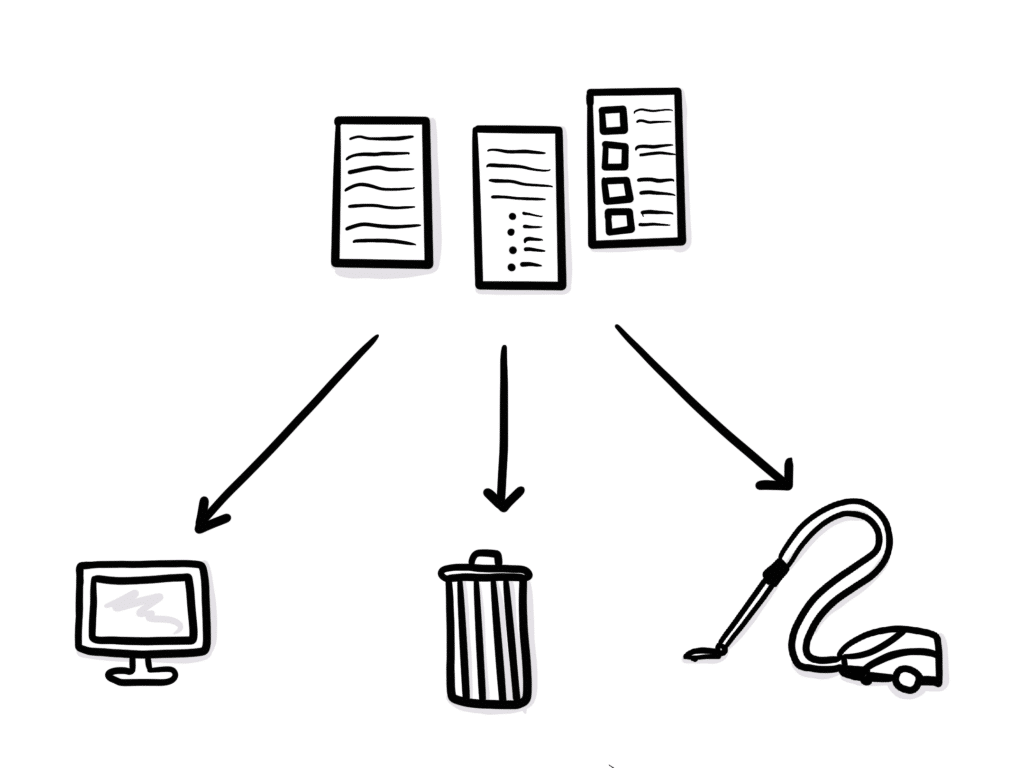
    A diagram showing data ready to be stored, trashed, or cleaned as you futureproof your technology

    2. Data quality

    In addition to modeling data well, the data you collect needs to be “clean.” Data can get dirty if there are no guards or tests in place, i.e., ensuring email addresses are in a valid format.

    When you make updates to the model, you should clean the data to ensure there aren’t unused fields or fields you intended for one thing but used for another. As the data matures, the model also needs to mature with it. For example, consider a broadcast media ministry with hundreds of audio files in the archives. If you want to begin organizing those with tags (Scripture references, spiritual formation terms, topics, etc.), it’s easy to begin tagging files moving forward. But in order to ensure data quality, you will also need to develop a plan for tagging the archives.

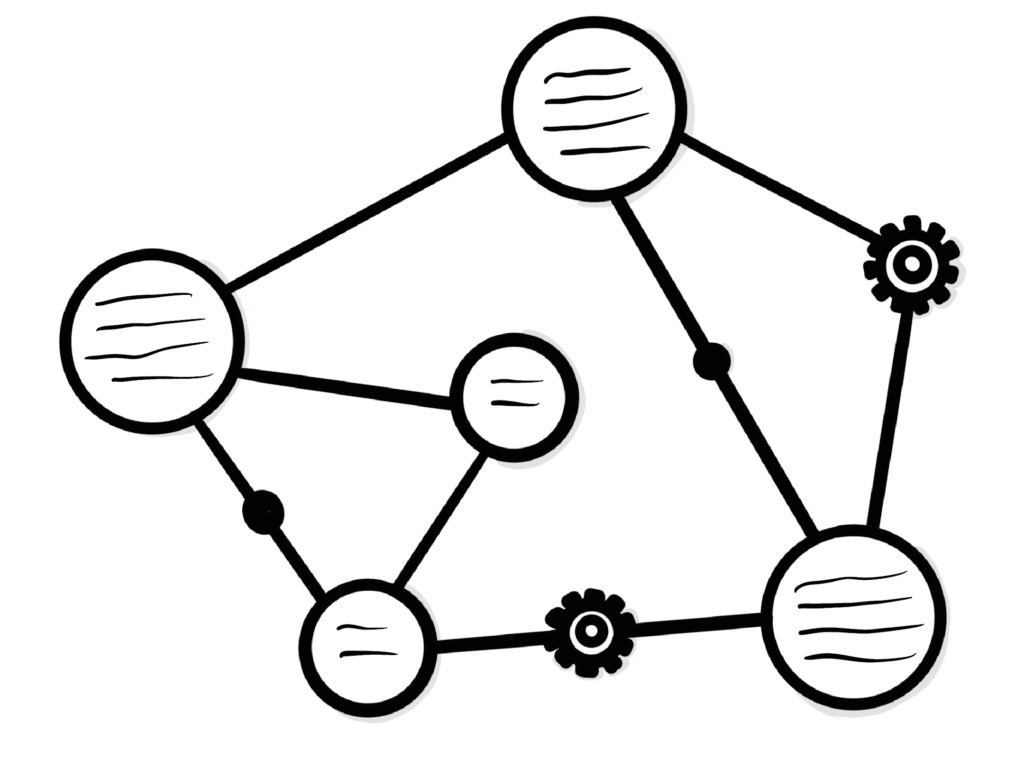
    A diagram showing the interoperability of data (represented by circles connected by lines and gears) as you futureproof your technology

    3. Interoperability

    The next step is to be sure your data is malleable to meet the demands of your ministry goals, both now and in the future. Starting with a solid model and clean data is the first step, but you also need to collect data in a way that is useable in a variety of ways and systems.

    To oversimplify this idea for a minute, think of a single First Name, Last Name field. Let’s say your main purpose for collecting names is for your volunteer database. The single field might work within the volunteer database system just fine. But when you’re ready to begin using that information to send automated emails, you realize the marketing automation system can’t parse it into two separate fields to address your email recipients by first name.

    While that may mean collecting data differently—i.e., separate First Name and Last Name fields—interoperability can also express itself in an API. APIs essentially serve as dispatches that know where to get the data and how to manipulate it for other systems to consume it. So if one system collects First Name, Last Name in a single field, interoperability could mean having an API in place to parse the first and last name for the marketing automation system.

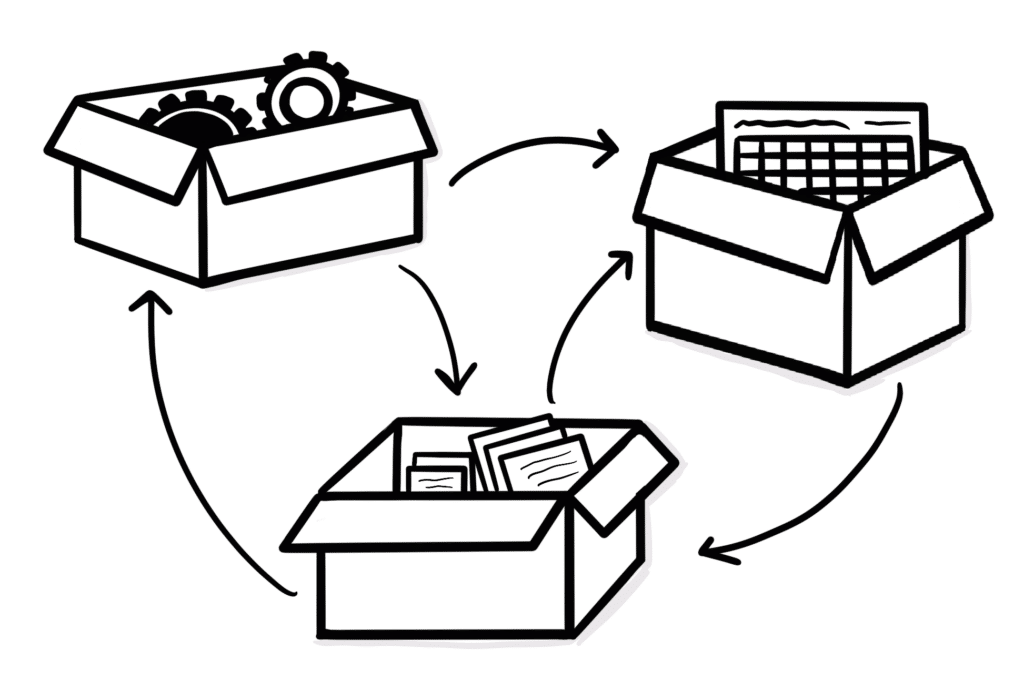
    A diagram showing the compartmentalization of various pieces of a software package (represented by data inside boxes with arrows between them) as you futureproof your technology

    4. Compartmentalize

    Another step you can take to futureproof your technology is to compartmentalize each part of the process. Rather than creating one monolithic application for the entire process, it can be broken down into smaller modules. This allows each piece to stand on its own without being affected by other parts of the process. However, when you compartmentalize something, you have to then be explicit about each of its connections and which parts of the application should be shared.
    Ultimately, this is an IT architecture decision your team should make together. Splitting the workflow into reasonable bits will give you more flexibility downstream but also requires managing each of those connections. Each approach has tradeoffs, and the right answer will vary based on your organizational structure, business logic, and goals.

    A drawing of binders full of documentation for futureproofing your technology

    5. Documentation

    Documentation is a critical part of futureproofing. Good documentation includes the model itself, any manual workflows, and the business logic.

    Documenting the process tells future readers, “When some provocation happens, it goes through this sequence of events to create this result.” For example:

    • Someone signs up to volunteer at an event.
    • The system connects that event to their volunteer record.
    • It fires off an email to the volunteer coordinator.
    • The coordinator initiates a background check.
    • Once that’s done, they manually trigger a response with detailed next steps.

    Documenting the details of what the system does automatically and what humans need to do manually doesn’t happen naturally. Most people on the team will know how the thing works with the way they work. But if it only lives in each individual’s head, it impacts the future of the organization. Instead, you need to be sure there is a clear understanding of the impact of each data point and procedure. The moment the code changes, your documentation will be out of date, so part of documenting well is also keeping it updated.

    A drawing of a laptop with a magnifying glass highlighting a "bug" on the screen to illustrate the importance of tests in futureproofing your technology

    6. Tests

    Writing automated tests is another important part of futureproofing. Done well, testing serves as an additional form of documentation. The tests should be human-readable, and the results should map to the business logic your organization cares about.

    Having good tests in place also creates a safeguard. With automated testing, the system will let you know when a future change breaks something. Tests are the safety net for the inevitable changes the code will go through as your organization’s needs change and grow over time.

    Like documentation, tests are an abstraction from the code. This means any time the code changes, both the documentation and tests need to be updated. This adds a layer of complexity, but automated testing provides safeguards that tend to outweigh that complexity.

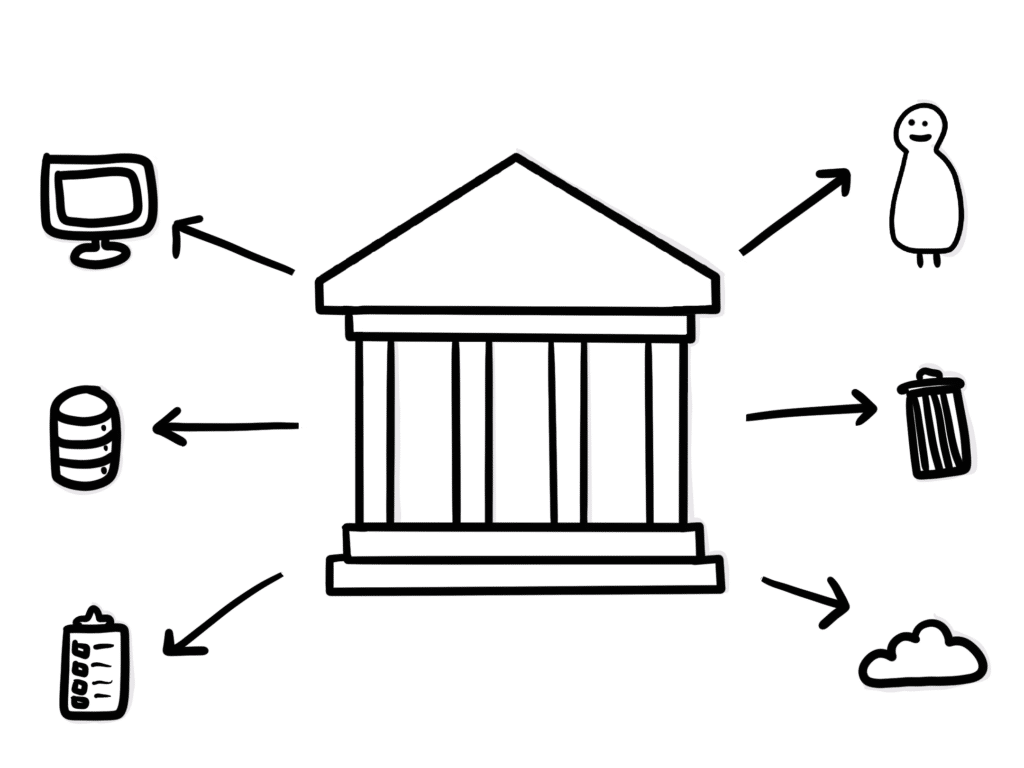
    A diagram showing the importance of a governance structure for futureproofing your technology

    7. Governance

    Finally, as data and privacy laws continue to evolve, you should have a clear understanding of the governance of your user data. This includes who has access to the data and when. As the type of data you’re collecting changes and increases, the need for proper governance grows as well. In the case of an audit, you need to show clear accountability for how you manage the data.

    This idea of data governance can span a spectrum from “complicated” to “a legal nightmare.” It includes the data in your customer relationship management (CRM) system, your privacy policy, and how you handle payment information. It can also include data from a wide range of unexpected sources, like web server logs with logged IP addresses. For organizations without the internal expertise to navigate this complicated arena, it may be wise to contract with a specialist who can help you establish governance procedures and avoid legal pitfalls.


    Futureproofing your digital properties requires intention and hard work. But keeping your eye on the future helps ensure your technology can grow with these inevitable changes. This is important for any organization that hopes to continue existing in the future. For ministries, it’s also part of stewarding your donor’s gifts well!

  • 8 Technology Trends Ministries Should Be Paying Attention To

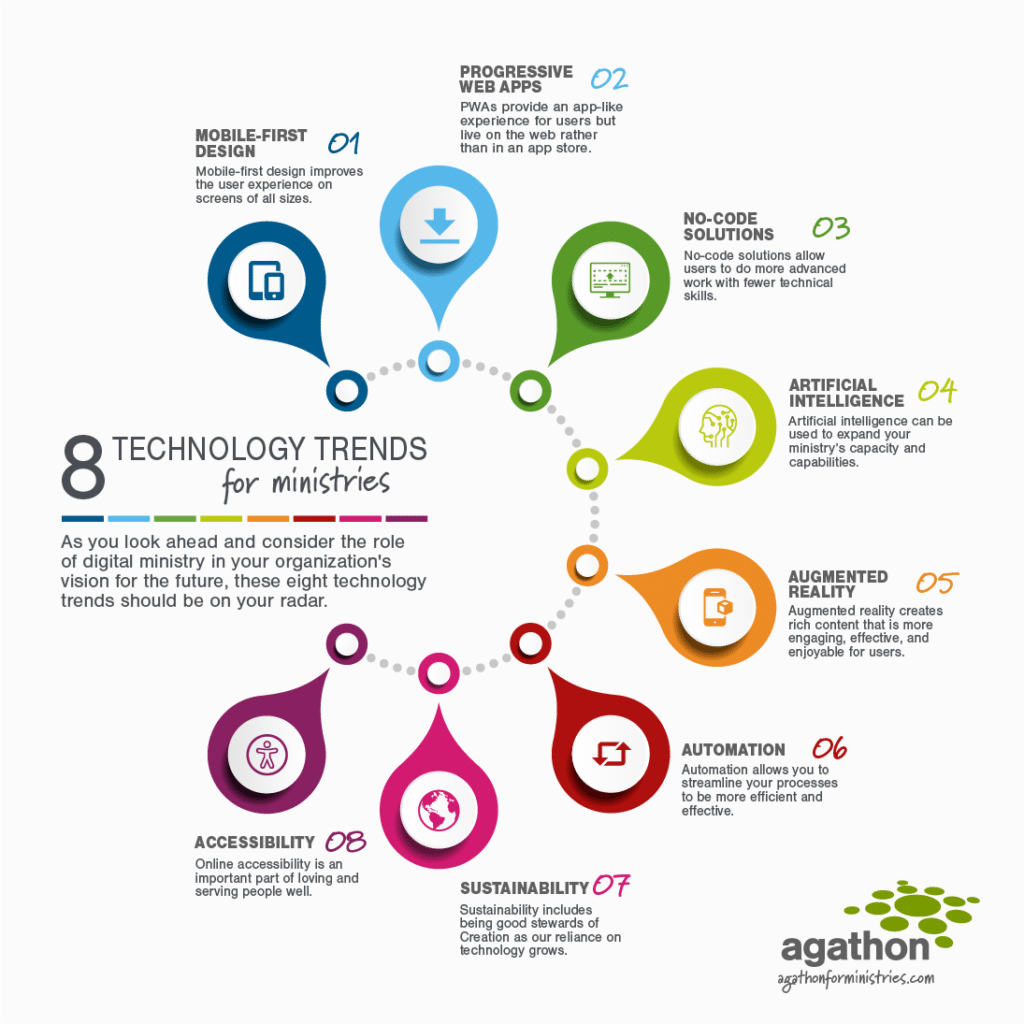
    A colorful infographic highlighting 8 technology trends for ministries with the caption: As you look ahead and consider the role of digital ministry in your organization's vision for the future, these eight technology trends should be on your radar.

    In 1965, Gordon Moore posited that the number of transistors per microchip would double every year. While this prediction has changed over time, it continues to guide forecasts for hardware development. Hardware isn’t our specialty here at Agathon. But it’s easy to see how we can extrapolate Moore’s Law to the advancements in software as well. Just consider the technology available to most home users 30 years ago, 10 years ago, and today.

    For ministries, the past few years meant the accelerated adoption of much of this technology even further due to the challenges and opportunities presented by the COVID-19 pandemic.

    As you look ahead and consider the role of digital ministry in your organization’s vision for the future, we’ve identified eight technology trends that should be on your radar. This is not a call to implement every one of these today. Rather, it’s an opportunity to begin thinking about which ones might impact your ministry in the future.

    Table of Contents
    1. Mobile-First Design
    2. Progressive Web Apps
    3. No-Code Solutions
    4. Artificial Intelligence
    5. Augmented Reality
    6. Automation
    7. Sustainability
    8. Accessibility
    Mobile-first design improves the user experience on screens of all sizes.

    1. Mobile-First Design

    Mobile-first design is a design philosophy that aims to create better experiences for users by starting the design process from the smallest of screens: mobile.

    What does mobile-first design mean for digital designers? Inside Design

    A few years ago we would have called this section “responsive web design.” We knew mobile was important, but it was still secondary to desktop.

    But as the use of smartphones and tablets has become ubiquitous, we’ve realized a responsive design isn’t enough. Instead, it makes sense to design websites for the smallest screen first. Many features that improve the mobile experience—lots of whitespace, large tap targets, etc.—are also beneficial on larger screens.

    This hasn’t always been realistic, especially for ministries working with tight budgets. In the past, web and mobile technologies were decidedly separate and would need two separate development projects. Today, tools such as React and Flutter allow developers to code for several platforms at once. This makes it easier for you to build mobile first while still stretching your digital ministry budget.

    This “write once, deploy everywhere” approach is also beneficial for the teams working on these products. It allows a single team member to service many technologies and creates redundancy across larger teams.

    [contentupgrade id=”2406″]

    PWAs provide an app-like experience for users but live on the web rather than in an app store.

    2. Progressive Web Apps (PWA)

    Progressive Web Apps use modern web capabilities to deliver an app-like user experience. They evolve from pages in browser tabs to immersive, top-level apps, maintaining the web’s low friction at every moment.

    Getting Started with Progressive Web Apps, Google Developers

    While we’re on the topic of mobile, it makes sense to consider progressive web apps (PWAs) as well. PWAs are websites that function like apps on desktop or mobile. These aren’t for simple informational websites but for interactive tools, account management, or internal applications.

    Native apps can be expensive, time consuming to update, and are subject to various app store rules, while creators have complete control over their PWAs. Like a traditional app, users can download PWAs to the home screen of their phone or tablet. And they function like a native app. They also allow push notifications and function better with poor internet. Plus, there are no app store fees to pay. And because they’re built on the web, you can update the content in real time.

    Because there is no central marketplace for PWAs, the app store may still be the answer for public-facing apps. Internal applications, on the other hand, should always function as PWAs. Similarly, apps that are paying exorbitant fees, or those that receive constant updates, may do better as PWAs. And ministries concerned about censorship or the rules governing their app may also find PWAs to be the right solution.

    No-code solutions allow users to do more advanced work with fewer technical skills.

    3. No-Code Solutions

    A no code development platform is a tool for building software applications without coding; a popular and promising alternative to traditional software development for non-technical business users hoping to build their own full-fledged applications.

    What is no code? Codebots

    No-code solutions are around us already: WordPress plugins add functionality with one click; tools such as Airtable or Zapier optimize your communication, processes, and workflow; and website builders like Webflow and SquareSpace allow you to quickly build a site without technical skills.

    The terminology itself can be confusing. “No code” doesn’t mean there is no need for human involvement at all. Rather, these platforms often function through a drag-and-drop interface. This helps team members to do more advanced work with fewer technical skills. Which, of course, allows your ministry to accomplish more with fewer resources and a lower learning curve.

    Does that mean agencies like Agathon will no longer be needed in the future? We sure hope not! Developers will continue to be on the leading edge of these advances. And as good as no-code solutions have become, they aren’t the solution to every problem. We will continue to augment internal teams and guide organizations with strategy and user experience tools to help them best serve their users.

    Artificial intelligence can be used to expand your ministry’s capacity and capabilities.

    4. Artificial Intelligence

    Artificial intelligence leverages computers and machines to mimic the problem-solving and decision-making capabilities of the human mind.

    What is Artificial Intelligence, IBM

    When we hear artificial intelligence (AI), we often jump right to the sci-fi idea of robots taking over the world. But that reality is a lot further off than most people imagine. However, AI in its current form can be a useful tool for the work of most organizations.

    In fact, you’re probably using AI already in your daily work. Think of things like your phone or email’s autocomplete feature, Grammarly’s writing feedback, or your bank’s transaction verification tools. AI is increasingly integrated in our everyday life, and it’s not going anywhere.

    Although there may come a day when ministries build their own AI, you can begin by taking advantage of existing tools now. For example, Answer The Public helps organizations understand what users are searching for on the internet. There are numerous programs that help create blog posts and other content. Tools such as Tableau help organizations jumpstart their reporting efforts by identifying anomalies and reporting against data. And others can help predict or forecast what’s to come based on data trends.

    This type of artificial intelligence helps ministries expand their capacity and capabilities, augmenting their current staff rather than replacing them.

    Augmented reality creates rich content that is more engaging, effective & enjoyable for users.

    5. Augmented Reality

    Virtual reality and augmented reality accomplish two very different things in two very different ways, despite their devices’ similar designs. VR replaces reality, taking you somewhere else. AR adds to reality, projecting information on top of what you’re already seeing.

    Augmented Reality (AR) vs. Virtual Reality (VR): What’s the Difference? PCMag

    Like, AI, virtual reality (VR) and augmented reality (AR) may bring to mind the most extreme examples of these technologies such as “attending” church from home through a virtual reality headset.

    Actually, augmented reality is much more accessible. It can be used, for example, to add interactivity to visual content, whether in-person or digital. (Many of us are familiar with the Pokemon Go craze of a couple of years ago!) This type of rich content is more engaging and can increase both the effectiveness and the appeal for users.

    Imagine the groundbreaking for a new facility, where people can hold up their phones to see an artist’s rendition of the building. Or picture the Bible Project videos brought to life in your living room. Imagine helping your donors experience the sights and sounds of the communities they’re supporting. Or envision online study tools that feel almost like real books and Bibles. It’s hard to anticipate all the ways this technology will be used in the years to come. But you should expect to see many of these ideas brought to life!

    Automation allows you to streamline your processes to be more efficient and effective.

    6. Automation

    The dictionary defines automation as “the technique of making an apparatus, a process, or a system operate automatically.” We define automation as “the creation and application of technology to monitor and control the production and delivery of products and services.”

    What is Automation? ISA

    Automation in general is not a new trend; however, it’s application to digital ministry will continue to increase over time as tools and best practices develop:

    Marketing automation

    You’re probably already familiar with marketing automation: a welcome series for new newsletter subscribers, a drip campaign during fundraising drives, or a tool to manage and schedule your social media messages.

    As this technology advances, you will be able to do even more to personalize the experience of your key stakeholders—whether donors or constituents—based on their demographics and the actions they take.

    Business process automation

    Marketing automation allows you to reach out more efficiently and effectively; business process automation helps you streamline your workflows internally. This includes things like a customer service workflow to help agents route and respond to emails. But it could also include time tracking tools, integrations to streamline data entry, etc.

    Test automation

    Finally, since we’re talking about digital ministry, it’s worth including test automation within this section. Whether developing software or publishing content, every human action creates an opportunity for error. Test automation can reduce friction and human error by scheduling and making processes predictable, automating things such as accessibility check-ins, and facilitating security checks for accountability.

    Sustainability includes being good stewards of creation as our reliance on technology grows.

    7. Sustainability

    Sustainable practices support ecological, human, and economic health and vitality. Sustainability presumes that resources are finite, and should be used conservatively and wisely with a view to long-term priorities and consequences of the ways in which resources are used. In simplest terms, sustainability is about our children and our grandchildren, and the world we will leave them.

    What is sustainability? UCLA Sustainability

    Tech trends often compete with the more human side of ministry. Or, if they don’t compete, they certainly present tradeoffs. We’ve seen this acutely in the last two years: Zoom and other digital platforms provided a way for churches to meet their congregants’ needs during pandemic lockdowns. But this remote access also presented challenges in reconnecting communities as lockdowns ended.

    Sustainability might seem like a strange topic to include on a list of trends. In reality, your ministry cannot ignore the growing importance of sustainability as a whole.

    John Elkington coined the phrase “triple bottom line” as a sustainability framework to measure an organization’s economic, social, and environmental impact. To simplify it in the context of ministries, a sustainable organization will:

    • care for both the people they serve and the people who serve
    • responsibly manage donations and expenses
    • be a good steward of creation

    Sustainability for ministries

    In the context of digital ministry, there are real implications of understanding the energy usage of your systems, websites, and apps. You may not have control over the infrastructure or bandwidth powering your tools. But understanding your site’s consumption and how you can offset that allows you to work toward a more sustainable future.

    For example, there are tools that will tell you what type of resources your site requires just to load. They can even go so far as to make recommendations (e.g., white screens use more energy to render than dark screens) and help you understand the implications of various design decisions.

    While sustainability is a bit nebulous to define, being good stewards of people, planet, and profit (or donations) is likely to become more important—not less—as time passes.

    Online accessibility is an important part of loving and serving people well.

    8. Accessibility

    Web accessibility is the inclusive practice of ensuring there are no barriers that prevent interaction with, or access to, websites on the World Wide Web by people with physical disabilities, situational disabilities, and socio-economic restrictions on bandwidth and speed. When sites are correctly designed, developed and edited, generally all users have equal access to information and functionality.

    Web accessibility, Wikipedia

    At Agathon, we believe accessibility is an important part of loving and serving people well. We also believe accessibility is good for everyone.

    Accessibility impacts:

    • Your ability to provide services,
    • How you connect with supporters and donors,
    • Whether your digital ministry feels welcoming, and
    • How well you can spread awareness of the work you’re doing.

    This is no longer something you can ignore or put off for tomorrow; the importance of building accessible websites and apps is only going to increase.


    It’s unlikely your organization will dive into all of these trends at once. But an important part of setting your ministry’s digital strategy is understanding the big picture trends and envisioning how those might help you to be more effective in ministry.

  • 5 Reasons Web Accessibility Matters for Ministries

    5 Reasons Web Accessibility Matters for Ministries

    A white handicap parking symbol on a blue background

    It’s 2021, and web accessibility is no longer a “nice to have” feature of your website or mobile app. By now, we know how poorly designed software impacts users with a variety of limitations or disabilities. And ongoing court decisions show the expansion of the Americans with Disabilities Act (ADA) to include online accessibility is coming sooner rather than later.

    But for ministries, avoiding litigation isn’t the primary reason you should be thinking about accessibility on your digital properties. We firmly believe loving and serving people well means accounting for these needs as you’re building websites and apps. We’d even go so far as to say ignoring these needs deliberately snubs those who need accommodations and harms the gospel message.

    We’ll dive deeper into why accessibility is important to your ministry plus some easy steps for improving accessibility. But first, let’s talk about what web accessibility means.

    What is Web Accessibility?

    Web accessibility is the inclusive practice of ensuring there are no barriers that prevent interaction with, or access to, websites on the World Wide Web by people with physical disabilities, situational disabilities, and socio-economic restrictions on bandwidth and speed. When sites are correctly designed, developed and edited, generally all users have equal access to information and functionality.

    Wikipedia

    As humans, our skills, abilities, and intellect cover a wide spectrum. Small type on a page or highly animated websites work for those toward the middle of the spectrum. But they can pose challenges for those with visual or cognitive disabilities. Similarly, users who rely on screen readers can struggle to navigate a site that isn’t properly built for this technology, making the content impossible to access.
    If your ministry is delivering services or content digitally, accessibility simply can’t be ignored. It’s easy to think your site is performing just fine if you’re not hearing from people otherwise; however, it could be people are simply clicking away in search of those resources elsewhere. In this way, you may be creating an echo chamber of the average person while ignoring the needs of those outside the average.

    Areas to consider for web accessibility

    There are five primary areas of impairments to consider for web accessibility:

    • Visual—a loss of vision beyond what can be corrected by glasses or contacts, including blindness, loss of central or peripheral vision, blurriness, light sensitivity, haziness, color blindness, etc.
    • Auditory—the partial or total inability to hear, whether constant or fluctuating, including deafness, tinnitus, trouble hearing specific frequencies, sounds that are muffled, soft, or too loud, etc.
    • Neurological—conditions impacting the brain or nervous system, including autism, epilepsy, migraines, etc. that may be exacerbated by visual or audio stimulation.
    • Cognitive—conditions that impact how people process and comprehend information, including ADHD, mental health disorders, dementia, learning disabilities, etc.
    • Motor—weakness or limitation in motor skills or muscular control, including tics or tremors, amputation, arthritis, carpal tunnel syndrome, etc.

    Web accessibility guidelines

    To help address these areas, the Web Accessibility Initiative has published the Web Content Accessibility Guidelines (WCAG). These guidelines are the leading authority on accessibility and are organized around four principles:

    Perceivable: Can users perceive the content? Just because something is perceivable with one sense, such as sight, doesn’t mean all users can perceive it.

    Operable:
    Can users use UI components and navigate the content? For example, someone who can’t use a mouse or touch screen cannot operate something that requires a hover interaction.

    Understandable:
    Can users understand the content? Can users understand the interface and is it consistent enough to avoid confusion?

    Robust:
    Can a wide variety of user agents (browsers) consume the content? Does it work with assistive technology?

    These principles, and the accompanying questions, can help guide the accessibility conversation as you look for practical ways to make your site more accessible.

    A woman in a yellow blouse sitting in a wheel chair at a table while using her laptop

    The 5 Reasons Accessibility Matters for Your Digital Ministry

    Loving and serving people well includes building accessible digital properties. But let’s dive deeper into the other reasons accessibility matters for your ministry:

    1. It’s necessary for providing services

    If you’re serving people through content, services, or tools on your site, it’s imperative those be accessible to the people who need them. Here are three questions to ask yourself:

    Can users engage with the content? For broadcast ministries, such as Truth For Life, the content is their ministry. Video captions, transcripts, and easy-to-use video and audio players remove barriers for the vision- or hearing-impaired as well as an older audience that may not be as proficient with technology.

    Can users interact with the services? Similarly, if your ministry is offering teaching, counseling, online small groups, or other services, how accessible are those services? They should be easy to navigate. Buttons and other interactive elements should function on a variety of screens. This includes creating target areas that are easy for people to click regardless of their device.

    Can users request assistance? If your ministry provides tools and resources—for example, a ministry that facilitates housing for an at-risk group—the process should be accessible for those with special use cases. The instructions and workflow should be easy to understand and navigate. Forms, applications, and other resources should work with screen readers or when the screen is zoomed.

    2. It allows you to connect with supporters and donors

    In addition to facilitating your ministry, an accessible site also helps you connect with supporters and donors. Many nonprofit ministry organizations rely on volunteering and donations. Accessibility concerns can create barriers for those who want to support the work you’re doing.

    Incorporating third-party tools such as a volunteer management app is one way to ensure the tools on your site are accessible. Similarly, accessible forms facilitate donations. This means providing clear instructions, labeling and validating form fields, and providing clear success and error notifications.

    3. It creates a welcoming environment

    While it’s almost certainly not your intention, when you ignore accessibility concerns, it projects the idea that you’re not interested in serving or partnering with those with special needs. If you haven’t added captions to videos, formatted pages to work correctly with a screen reader, or made the font size and contrast easy to read, you’re turning away people who need those accommodations.

    And the opposite is true as well: paying attention to accessibility concerns and incorporating those into your user interface (UI) tells visitors your ministry values people from across the spectrum. Which leads us to number four…

    4. It helps spread awareness of your ministry

    When your tools are accessible, the people who need those accommodations can and will share them with others in their communities. Rather than narrowing your appeal to those with average abilities, you widen your circle. This opens the door for more people to benefit from and partner with you in your work.

    5. It’s better for everyone

    And finally, accessibility truly is better for everyone. The tools we rely on for accessibility don’t only enhance the experience for those who need them; they make websites and apps more usable for everyone.

    For example, a focus on readability might include a larger font; lots of white space; short, left-aligned paragraphs; high contrast; etc. Those accommodations make the content accessible to those with visual or cognitive impairments. But they also make the reading experience more pleasant for everyone, preventing eye strain and enabling skimming.

    Investing in accessibility can feel like a sunk cost that may or may not reach additional people. But when it’s done right, you’re serving all of your users. So how do we do this?

    A young man with down syndrome sitting on a bed wearing headphones and using his laptop

    3 Ways to Improve Your Web or Mobile App’s Accessibility

    The good news is there are easy ways to make your web or mobile app more accessible. Just like the needs we’re addressing, accessibility is a spectrum. Each step you take to make your site more accessible moves you forward toward this goal.

    The WCAG define three positive ratings: A (the very minimum you should strive for) to AAA (perfect accessibility). Realistically, the painstaking work required to reach an AAA rating means many sites won’t see the benefit of seeking this top-tier rating. But if you aim to start at A or AA and continue to iterate as new technology and practices become available, you’ll be serving your users well.

    1. Use HTML the way it’s meant to be used

    HTML is inherently good for accessibility. When you use HTML properly, the structure and tags enable your site to be accessible. This includes telling screen readers how to progress through the content and labeling different elements appropriately.

    Your first step is to make sure you’re using HTML the way it’s supposed to be used. You can do this by auditing your existing digital properties via automated tools or by hiring a consultant. As you’re building new features or properties, there are also tools that will audit as you build and at the testing stage.

    2. Ensure keyboard friendliness

    Once you’ve verified your HTML structure, you can test this by attempting to navigate your website with just your keyboard. This helps you experience the site in the same way people using assistive technologies do. When you get stuck, either because tab takes you to a different place than you were expecting or you can’t access a button with your keyboard, you’ll know where improvements are needed.

    3. Build for responsiveness and zooming

    Responsive web design and mobile-first development are good for SEO, usability, and accessibility. They naturally include generous button sizes, touch functions, and accommodations for browser squashing.

    To test your site’s responsiveness, zoom in using the keyboard (CTRL-+ on PC and ⌘-+ on Mac) and see if things break. Are elements where they’re meant to be? Is all of the content still on the screen? Are you needing to scroll in unexpected places?

    Start with the three items above and you’re well on your way towards a more accessible and welcoming site.


    When it comes to accessibility, the perfect truly is the enemy of the good. Trying to overhaul everything to reach an accessibility goal is understandably overwhelming. But that shouldn’t stop you from making beneficial changes right away. Start today by asking yourself how accessible your site is right now and how you could realistically improve. And then push yourself to go just a little bit further to serve more people!

  • ‘re Building the App Your Users Actually Need

    ‘re Building the App Your Users Actually Need

    How do you know whether the app you’re building is the one your users need? This is a common challenge for organizations doing digital ministry. It’s easy to get caught up in your own excitement, what best serves internal stakeholders, or what users think they want. And those don’t always align with building what users truly need.

    Let’s take a look at how to conduct user research that actually answers this question and helps you build the right app with the right features.

    Step 1: Form a Hypothesis and Set a Goal

    Before you begin your user research, start by forming a hypothesis and setting a goal for your analysis. This provides a framework for all of the data and insights you collect along the way.

    A hypothesis gives you something to evaluate. Once you have a clear yes or no to that hypothesis, you can form a new one. On the other hand, performing research without a hypothesis will leave you constantly chasing the next bit of data.

    Along the way, you’ll probably come across other ideas to question and test. Those will pave the way for future hypotheses and goals. User research isn’t the goal; the goal is delivering user outcomes.

    Think of it this way: figuring out what your users need is a bit like putting a puzzle together. For most people, the first step in completing a puzzle is to hunt through the box to find all of the edge pieces. You use those pieces to assemble the frame. Then you continue working on the puzzle, one section at a time.

    Along the way, you set aside those that you don’t need for the area of the puzzle you’re currently working on. But as you complete one section, you’re able to turn your attention to other pieces you saw along the way to continue assembling a full picture.

    Let’s stick with this analogy for a bit and see how it applies to user research.

    [contentupgrade id=”2296″]

    How do you choose a hypothesis?

    First, you may be wondering how you’re supposed to choose a hypothesis in the first place. How do you know if your hypothesis is the right one?

    Don’t worry, we’ve all been there!

    The most important thing to remember is you just need to get started. Don’t let being afraid of choosing the wrong hypothesis hold you back from progress. Your first hypothesis might not be the best one, but if it helps you gather data and answer questions about your users needs, you’re on the right track. And that’s true even if your hypothesis is proven false.

    A typical UX hypothesis follows this layout:

    We believe (the change we want to introduce)… for (the users that this change is for)… will result in (the outcome we expect to have)…

    And here are a couple of examples:

    • We believe making the donation process feel more collaborativefor first-time donors will help new donors feel like they belong to something bigger.
    • We believe adding a social element to the donation process for recurring donorswill help them feel like they are a part of a team.
    • We believe moving the opt-in button higher on the pagefor website visitorswill make them more likely to sign up for the newsletter.

    As you can see, these don’t have to be super sophisticated or complicated. They’re simply educated guesses about things you can change to achieve a certain outcome so you can test to see if your gut feelings are correct.

    Step 2: Gather Data

    Not everything that can be counted counts, and not everything that counts can be counted.

    William Bruce Cameron

    It’s easy to get caught up in adding features to your product that you think your users need or want, without any data to back up those assumptions. Without research, we often overestimate the importance of some features while missing other user needs altogether.

    To figure out what your users truly need, there’s no way around the need for data. And there are two primary types of data we use in this process: qualitative data and quantitative data.

    Qualitative data via ethnographic research

    Qualitative data provides insights we can use to form our hypothesis for testing. Qualitative research is done through observation and interviews. Looking back at our puzzle analogy, this process is about hunting for the pieces we’ll use to form the frame—our hypothesis—before we can start assembling the interior of the puzzle. This type of research is focused on observing signals that offer some clue about the future.

    You might be wondering why we’re starting with this qualitative research rather than things like Google Analytics and surveys. This type of subjective research allows us to step back and listen to users so we can gain insights into their behavior. Those insights often lead us to a new or better hypothesis. And from there, we can test the hypothesis using objective tools such as a survey or tracking data.

    In other words, talking with real users—whether through individual interviews or larger focus groups—allows us to create hypotheses that can be validated across a larger sample.

    This is especially important for early research because it gives us a broad understanding of the motivations, desires, and pain points of our users. We can then narrow those down through additional quantitative research.

    Quantitative data via survey and tracking data

    On the other hand, quantitative data allows us to take the hypothesis we’ve built (i.e. the frame) and begin filling in a more complete picture. This type of research relies on surveys and tracking data—measurable metrics—so we can learn from observable events in the past.

    To start this process, begin with the tools and mechanisms you have in place already. This could include things like Google Analytics, a heat map on the site, survey tools, etc.

    Next, narrow down your research to what truly matters for evaluating your hypothesis. There are plenty of data points to choose from, and trying to include them all will make it harder to get a clear answer to your hypothesis. Look at the data for very specific behaviors and narrow down your questions to the ones that directly connect back to your hypothesis.

    Step 3: Evaluate the Data

    Here’s the tricky part when it comes to this type of research: It’s easy for us to layer our own assumptions, desires, or goals on top of the data to get the results we’re hoping for. To conduct rigorous research that truly helps you build the right thing, you have to start by assuming all data is suspect until it’s validated.

    It can be helpful to have a neutral third party walking alongside you during this process to bring objectivity to the analysis. But if you’re conducting the research on your own, here are some questions you should be asking along the way:

    What is the data telling us?

    Data itself doesn’t carry meaning; we have to interpret the meaning ourselves. And we do that by looking for the story behind the data. This is an opportunity to move from findings—the objective results that we can quantify—to insights that help the organization move forward.

    It’s important to note that findings might not have any implication for the organization at all. Just because we can observe it, doesn’t mean it’s important. Instead, we have to decide whether the finding merits our further attention. One way to determine the value of the objective data is to ask yourself two questions:

    1. Does the customer need it?
    2. Can we do it?

    If the answer to either of those is no, it’s not sustainable and should be set aside rather than pursuing it further.

    Does the data look like the goal?

    The next step, of course, is to consider whether the data and insights align with the hypothesis you’re testing. Do they confirm that you should continue on the current path, or is it time to pivot?

    But that’s not the only alignment you want to look for. You also need to consider whether the hypothesis is still aligned with your business objectives considering the data and insights you’ve gathered. If it doesn’t, it could mean that your hypothesis needs to change.

    Is the data pointing to a new path?

    If the insights do not support the current hypothesis, then what are they telling you? The key to good user research isn’t making your findings fit your hypothesis. You shouldn’t have to squint to make them align!

    Instead, be open to surprises. Being blindsided by something you didn’t see coming is really the beauty of this type of research. Surprises are good!

    Sure, they can be disruptive to the way that we think about the value of what we provide to those we’re serving. But truly, this is an opportunity to expose those things and discover gold nuggets along the way. And the sooner this is done, the sooner you can pivot—saving you time, money, and effort.

    Is there a conflict between qualitative and quantitative insights?

    This question is a bit misleading; there will almost always be conflict between these insights. The question is whether that conflict matters. Sometimes this happens because of human nature: people often express different values verbally than their behavior shows. Other times, the mechanism we use to gather the data (for example, leading questions) might be the source of the conflict.

    A conflict between qualitative and quantitative insights doesn’t mean anything is wrong. But it should prompt curiosity and a desire to identify the source of the conflict. If there’s not a clear opportunity to explore further, it’s okay to put a pin in it until a later date.

    Can I prove it?

    We start with a hypothesis: “Here’s what we think will happen. Here’s what we expect to learn.” From there, we gather data and findings. And then we create insights that can lead to decisions.

    Once we decide that a change or feature will move the needle, we can begin to set performance goals. (That’s where the HEART framework comes in.) And from there, we can look for ways to prove our theory in the real world.

    You won’t be able to prove all of your insights. And that doesn’t mean they’re not worth pursuing. But when you can prove them, it helps mitigate risk for your organization.


    There is no easy way to know what your users need. It’s not something that can be decided simply by brainstorming as a team or building a good app. Instead, it involves rigorous, incremental research to get to know your users and identify where their needs intersect with your organization’s capabilities. But this process is worth it because building what users truly need will enhance the longevity and fruitfulness of what you’ve built!

  • Building an Accessible Web

    Building an Accessible Web

    Hanging accessibility signs for the WC (bathroom)

    The internet is built on the notion that information should be accessible, shareable, and open. The information superhighway connects us with people and ideas at an unprecedented rate. As technology advances, building an accessible web depends on our vigilant effort to build sites and apps that enable everyone to connect with the resources available.

    What is accessibility?

    In the context of a website or app, accessibility refers to technology that enables all users to interact with the content, with special attention for those with a disability.

    If you’re living without a disability, it can be easy to forget there are many people who use technology in a very different way than you. For some users, this means navigating with software that reads the navigation and content to them. For others, it means navigating without a mouse or touchpad, or without being able to hear. When we build accessible websites and apps, we build in a way that supports these different use cases.

    Glasses with clear frames sitting on the edge of a laptop

    Why should we care about building an accessible web?

    It may be tempting to think that just because the majority of your users don’t use assistive technology or interfaces, there isn’t much benefit to building your site or app with those minority users in mind.

    However, accessibility is becoming a standard, not an afterthought, and we believe it’s worth pursuing now for several reasons:

    Accessibility benefits everyone

    Web accessibility is essential for people with disabilities and useful for all.

    https://www.w3.org/WAI/perspective-videos

    An accessible web makes everyone’s experience better. Accessibility ensures sites are still usable when CSS fails to load. It also keeps video content relevant even with the sound off and increases the readability of content in less-than-ideal lighting conditions. And it allows users to use their keyboard to navigate the site, often much quicker than they can with their mouse or touchpad.

    Accessibility is good for SEO

    Accessibility improves navigability and usability not just for disabled people but for everyone, and it can be tremendously beneficial for SEO (Vox).

    When we build with accessibility in mind, we fuel SEO content with relevant information. If the site and content makes sense for assistive technology, it will also make sense to the machines at Google, Microsoft, and Yahoo.

    Accessibility is the law

    The number of website accessibility lawsuits … filed in federal court under Title III of the ADA exploded in 2018 to at least 2258 – increasing by 177% from 814 such lawsuits in 2017 (ADA Title III).

    If you operate a physical place of business, you’re well aware of the implications the Americans with Disabilities Act (ADA) has had on your business. However, many businesses aren’t aware of how this legislation affects their online presence. Beyond user experience, lack of accessibility could expose your organization to legal risk.

    A laptop screen showing CSS code being edited

    What can I do to increase accessibility?

    The ADA itself doesn’t provide measurable criteria for what it considers accessible. However, we can take cues from how others have been measured in the courts. This is where the Web Accessibility Initiative (WAI) comes in. The WAI’s guidelines—the Web Content Accessibility Guidelines (WCAG)—lay out measurable ways to accommodate users with a disability.

    If your organization interfaces with the federal government, you should also be familiar with Section 508. These laws outline the success criteria for building accessible sites that are used by the government.

    Making sure your site, app, and content are accessible can feel overwhelming. The WAI is a great place to start. There you’ll find tools and references for both content creators and developers. These will walk you through how to evaluate your current technology. The Web Accessibility eValuation Tool (WAVE) can also help you assess your current site for potential issues.

    In our experience, there are several quick fixes that can have an immediate impact on the accessibility of your site or app:

    • Add alt attributes to img elements
    • Add Skip to content links near the top of the page
    • Use heading tags (H1, H2, etc.)
    • Adjust contrast for text

    However, while some of the items on this list may be easy to address, it only scratches the surface of what building an accessible web entails. Beyond the quick fixes, the WCAG covers a wide range of considerations; you may need to work with a developer to get your site or app up to current accessibility standards.


    Accessibility standards change alongside changing technology, and it can be overwhelming for organizations to keep up with these. We’d love to help you assess your technology and build a game plan for meeting the criteria today and moving forward!

  • Five Signs It’s Time to Redesign Your UX

    The digital experience you offer your users should be central to your organization’s strategy. And this is true whether you primarily share free content or offer products and services for sale. Because the internet and the way people interact with it are always changing, redesigning your user experience (UX) over time is inevitable. And knowing when to invest the time, effort, and resources into redesigning your UX should be a calculated endeavor.

    Here are 5 considerations that might indicate it’s time to redesign your UX:

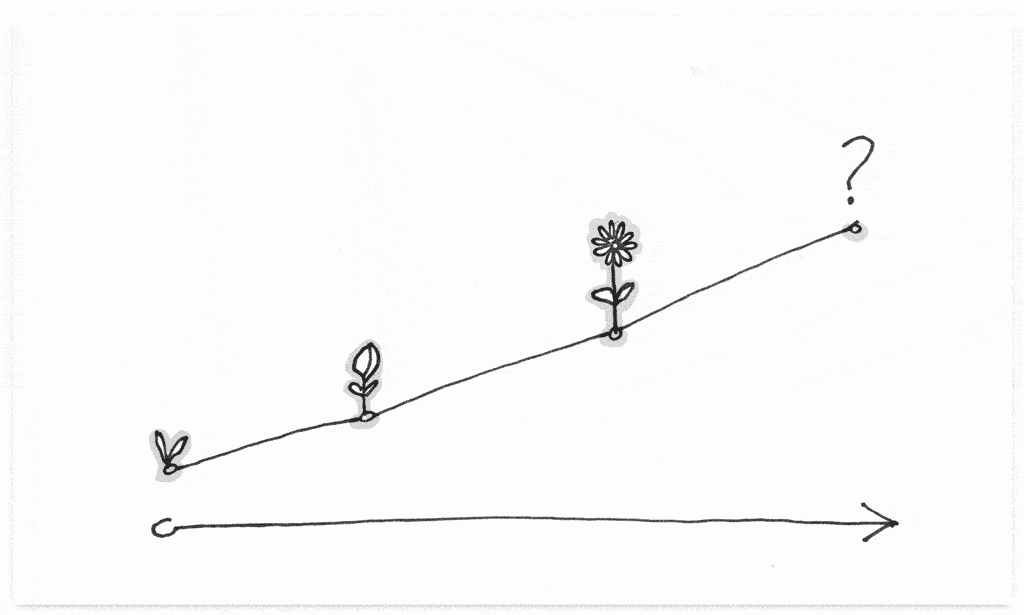
    1. Brand growth

    Illustration of a growth chart with a seedling, bud, flower, and question mark along the growth line

    Your brand grows and responds to cultural shifts, new technology, and organizational focus. For example, there has been a dramatic increase in the number of organizations adopting a humanitarian or sustainability focus as a key part of their brand over the last 15 years.

    Whether your organization is mission-driven or a traditional business, the same principles apply. Brand growth informs how you present and communicate your brand to users. And this has an outsized impact on the digital experience you offer them. These milestone in your brand’s evolution are often drivers of new organizational capabilities, new narratives to share with the world, and a new user experience to support it all.

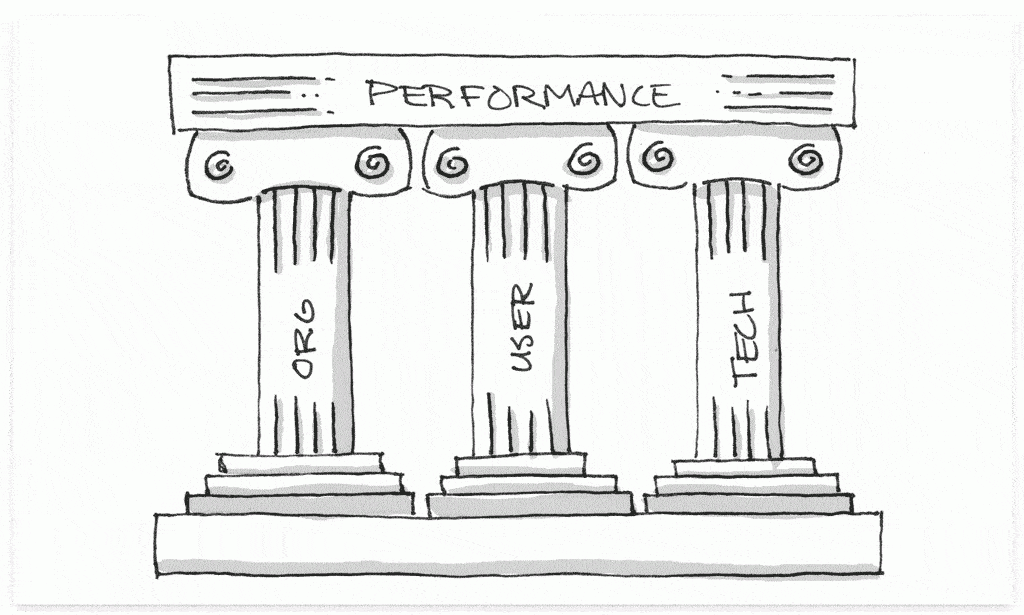
    2. Performance erosion

    Illustration of three pillars— organization, user, technology—holding up performance

    You can evaluate your users’ digital experiences through 3 lenses. Any (or all) of these lenses might be a catalyst to redesign your UX:

    Organizational performance

    • Does the UX support our organizational goals? (i.e., Does it facilitate the interactions that impact how we measure the health of the organization?)
    • How can we get more return on investment from the UX? (i.e., Can we move users closer to taking the desired action?)

    User experience performance

    • Does the UX meet the user in the right place, at the right time, and in the right way? (i.e., Does ubiquitous connectivity and mobile context change the types of goals we reach for in UX?)
    • Have there been broader changes in the way users interact with technology that impact the UX? (i.e., Can voice assistance, artificial intelligence, location awareness, or virtual reality improve the UX?)

    Technical performance

    • Are there development changes we could make that would improve the UX? (i.e., How can we speed up the delivery of new features, while reducing the number of bug fixes?)
    • Have technical capabilities increased to the point where a technical change could increase the quality of the UX? (i.e., Can we take fuller advantage of browser capabilities or mobile apps?)

    3. Feature alignment

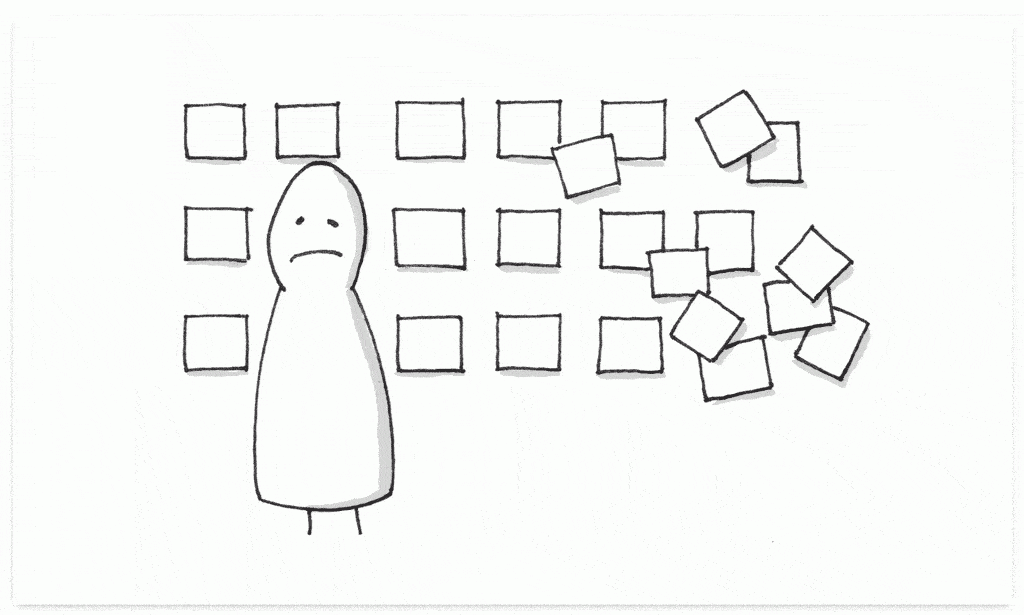
    Illustration of an abstract person with a frown standing in front of squares that represent features—they start out organized on the left side and become chaotic and scattered on the right

    Sites and apps add new features to the UX over time. These new features get bolted onto the preexisting interface, often without evaluating how new features impact the old ones. Users are grateful for the new features, but before long the UX becomes complicated and hard to navigate.

    Growth naturally requires pruning now and then. It requires time to zoom out, reassess how the features align with your users, and make tough choices about how to prioritize the experience.

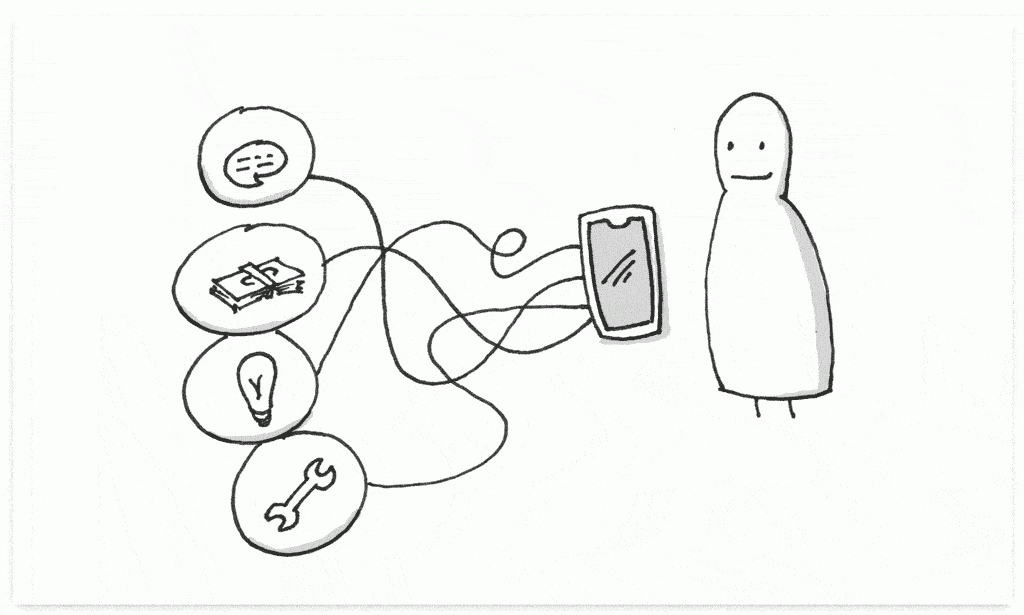
    4. Difficulty of updates

    Illustration of an abstract person with a smile looking at a phone with tangled wires leading to four thought bubbles: a chat bubble, a stack of money, a lightbulb, and a wrench.

    Updates often become difficult for two reasons:

    1. As new products or different types of content become available, these changes can be tricky to integrate with the current experience. This can be due to a limitation of the technology or the current user interface itself.
    2. As your company facilitates more organizational capabilities digitally, the integrations with user-facing technologies become more complex.

    Updating content and features doesn’t happen as often as it should when it becomes difficult. It’s important to step back and evaluate ways to streamline the update process so users have more and better access to the services they expect.

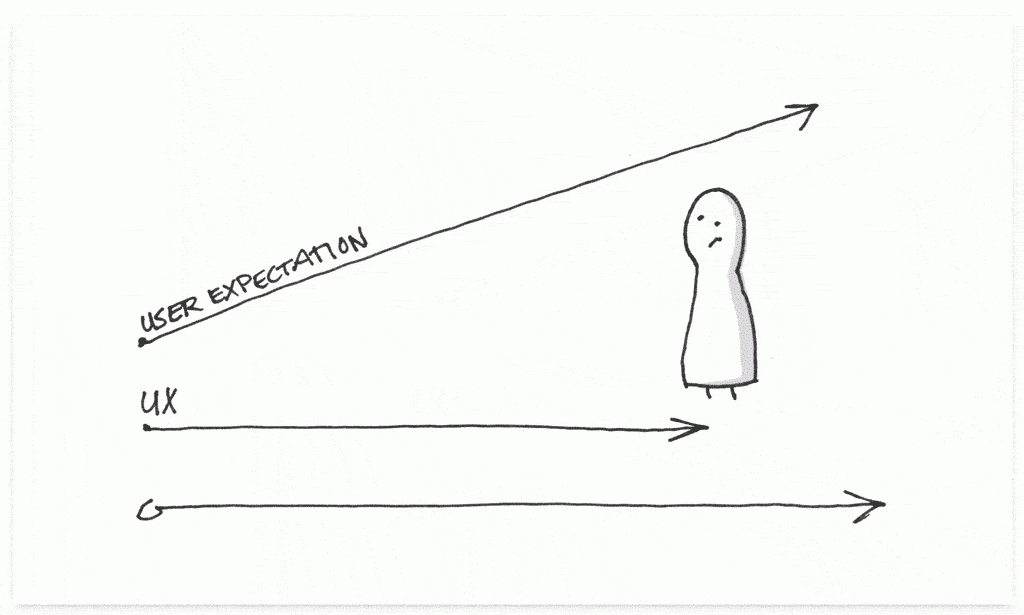
    5. User expectations

    Illustration of an abstract person with a confused expression looking at a growth chart that shows UX running along the bottom and user expectations trending up and to the right

    As users become more digitally savvy—which isn’t to say that they’re not already—they want more access to organizational capabilities. Users want to be able to access information when and where they want to, to be able to self-service common tasks, and to have more transparency when it comes to their involvement with an organization.

    These expectations grow over time, which requires organizations to build new tools to facilitate new experiences, perform new functions, and reduce friction.


    An effective UX aligns the needs of the user with organizational priorities and technical capabilities.

    Every line of code is a commitment to the future. This goes beyond security updates and technology upgrades. The user experience is built on top of code. As your organization grows, performance erodes, features come and go, updates become harder, and user expectations change over time, the UX must grow and change along with those expectations.